To search
Softonic Rating:
Good:7/10
License:
Free
Added:
May 21, 2008
Publisher:
Website
File size:
6.7 MB
Downloads:
149
Francesca Migliorini

“Realtime terrain editor designed for the development of 3D landscapes”

by Francesca Migliorini

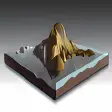
EarthSculptor is a 3D modelling program that allows you to design the geology of a given place, real or imaginary, thanks to a powerful 3D engine that allows you to shape a defined piece of land. The way you navigate and build mountains on this land is really beautiful. Every movement, zoom in and out or rotation is extremely smooth and well rendered. You'll have to use both keyboard and mouse to fully navigate your creation.

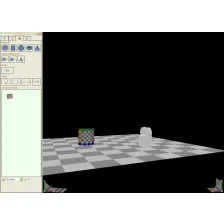
You will probably need some time to learn how to color and apply textures to the forms you have created. As a start, to model hills and mountains, press the wave button with the up and down arrows you find in the toolbar menu on your left. To color them, just press the brush function and choose the tone you want in the palette frame on your right. Also on this side, you find the Terraform and Material controls.

Although EarthSculptor is tricky to learn for newcomers, you can have fun designing the project of your future garden or your ideal resort with this efficient 3D rendering engine.
Languages:

English

OS requirements for EarthSculptor:

  • OS: WinXP/Vista
Pros
  • Very smooth navigation in the 3D model
Cons
  • Difficult to understand how it works without reading the manual
Did you like this review?
2 of 4 users liked it (50%)

From the publisher of EarthSculptor

EarthSculptor is a realtime terrain editor and paint program featuring an easy to use interface designed exclusively for rapid development of 3D landscapes for visualization, multimedia and game development.

Features:

Fast 3D hardware accelerated terrain rendering
Automatic lighting and shadow map rendering
High resolution Light, Color and Detail texture maps
Up to 8 Detail Textures
Map sizes up to 4097x4097
Terrain Texture sizes up to 4096x4096
Real time reflecting water
8 terrain tools: raise, lower, level, grab, smooth, erode, push and ramp
Plug In System
Multiple undo/redo editing
Outputs heightmaps as 16-bit PNG textures, no proprietary formats
Advanced .OBJ exporter outputs optimized meshes
Edit textures and heightmaps externally
Developed for Windows® and OpenGL® hardware

EarthSculptor options

EarthSculptor Options
Softonic Rating:Good
10/10

User Rating

1 rating
Usability
  • Currently 10/10.
Stability
  • Currently 1/10.
Installation
  • Currently 7/10.
Functionality
  • Currently 4/10.
Appearance
  • Currently 8/10.
basketball

Download stats

Related

Related searches


View all